
insight00-15 님의 블로그
k6, Prometheus, Grafana를 사용한 부하 테스트 환경 구성하기(with Docker-compose) 본문
k6, Prometheus, Grafana를 사용한 부하 테스트 환경 구성하기(with Docker-compose)
insight00-15 2026. 4. 3. 14:22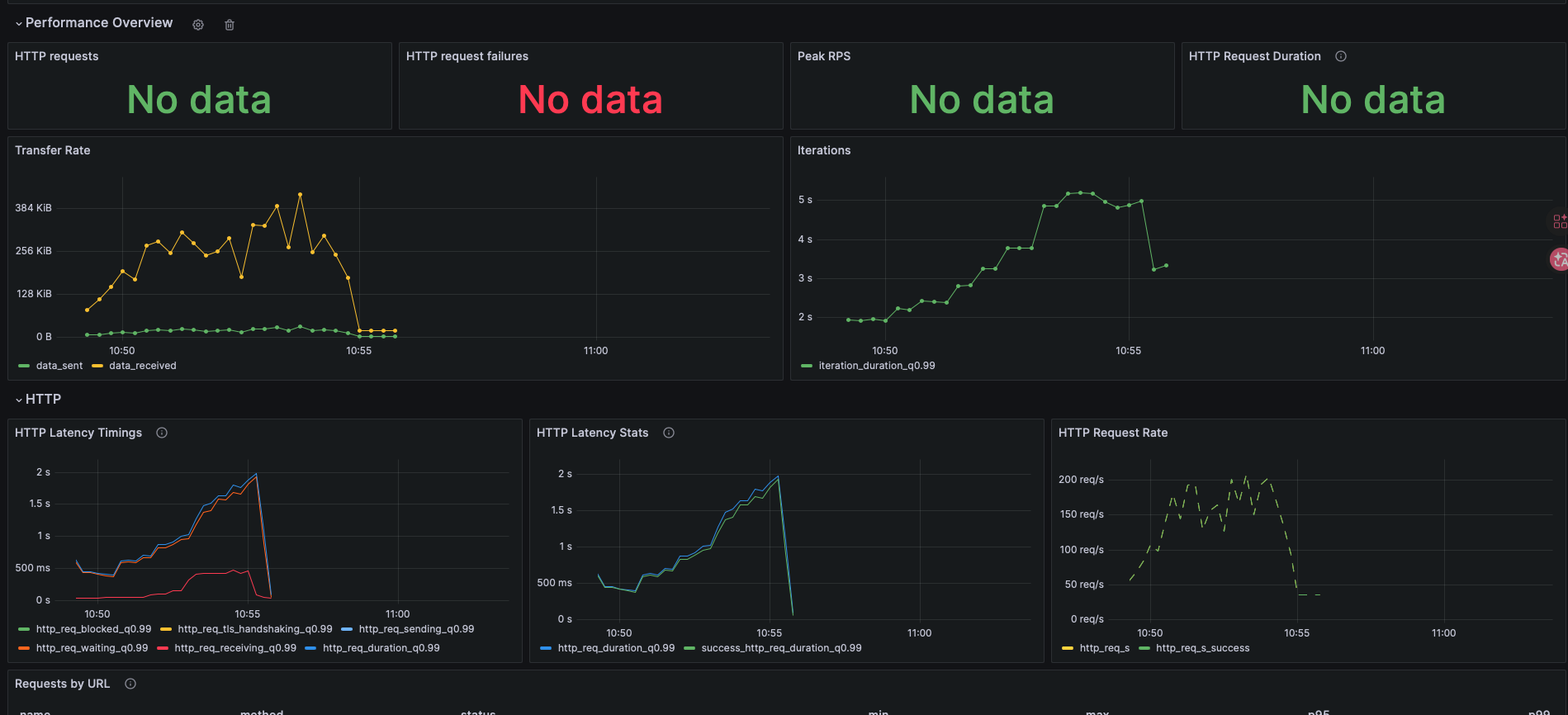
부하 테스트는 시스템에 예상되는 최대 사용자수나 데이터 처리량을 시물레이션하여, 시스템의 응답 시간, 처리 속도(TPS), 안정성 등을 측정하고 병목 현상을 파악하는 성능 테스트이다.
▶ 부하 테스트 툴
- K6: API에 가상 사용자를 만들어 부하를 주고 성능과 안정성을 검증하는 부하 테스트 도구
- Prometheus: 애플리케이션과 인프라의 메트릭을 주기적으로 수집하고 저장하는 모니터링 시스템
- Grafana: Prometheus 같은 데이터소스의 메트릭을 그래프와 대시보드로 시각화하는 도구
- Spring API + Actuator: Spring Boot 앱 상태, 메트릭 상태 지표 제공(JVM, CPU, HTTP 요청 수 메모리 등)
- Micrometer: Spring Boot 앱 메트릭을 수집하고 Prometheus 같은 모니터링 시스템과 연결해주는 계측 라이브러리
- docker-compose: 여러 컨테이너 서비스를 한 번에 실행할 수 있게 해주는 도구
▶ 테스트 환경 폴더 경로 설계

일단 이런식으로 나중에 쓸 docker-compose.yml 파일과 같은 경로에 폴더 경로들을 구성한다.
▶ 기본 설정 구성
(1). application.yml 설정
management:
  endpoints:
    web:
      exposure:
        include: "prometheus"
metrics:
  export:
    prometheus:
      enabled: true
(2). build.gralde 의존성 추가
implementation("org.springframework.boot:spring-boot-starter-actuator:3.4.3")
implementation("io.micrometer:micrometer-registry-prometheus:1.14.5")
(3). 실행 확인(브라우저/터미널)
-브라우저-
http://localhost:8080/actuator/prometheus
-터미널-
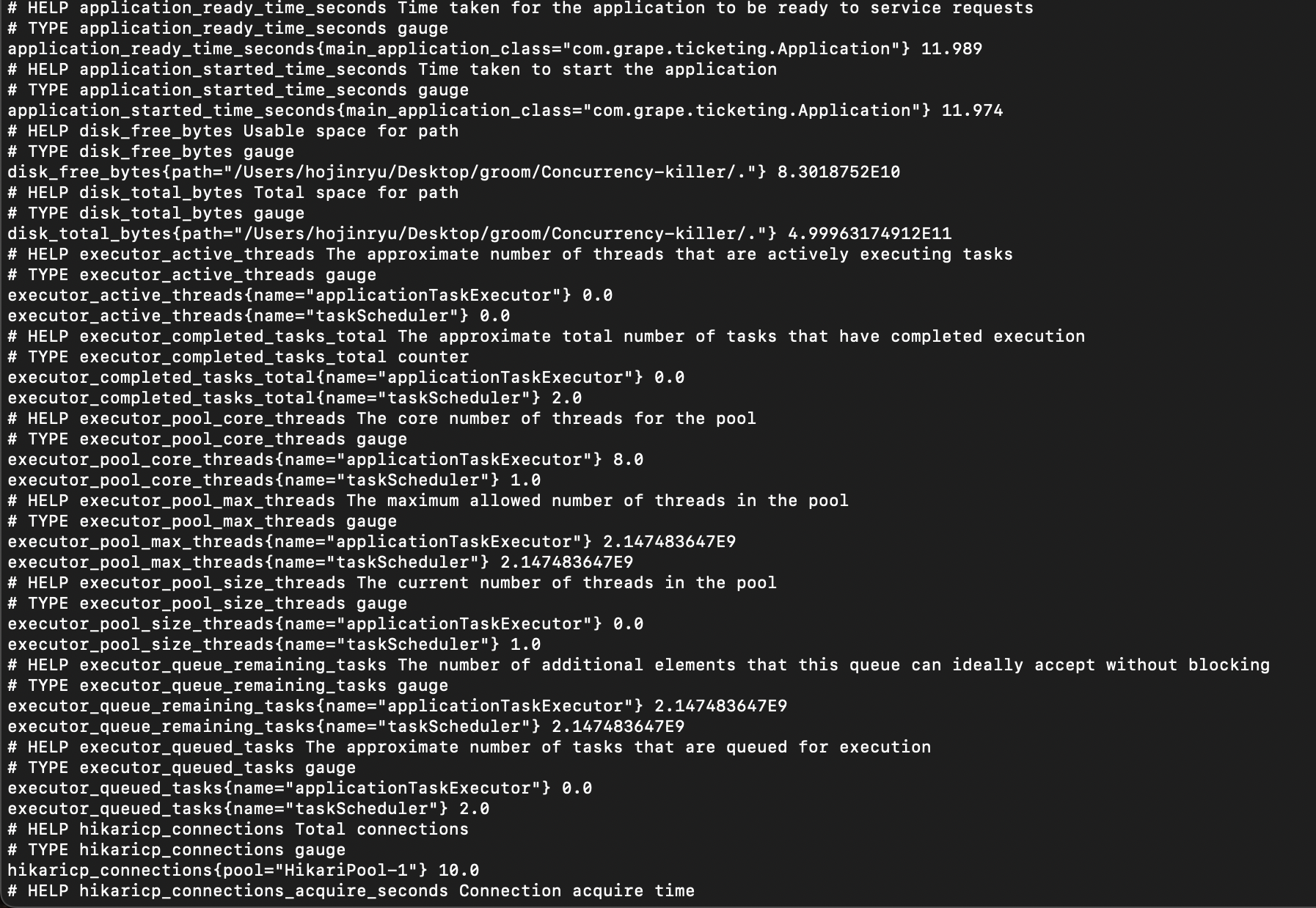
curl http://localhost:8080/actuator/prometheus- 이런식으로 아래 문구처럼 뜬다면 Actuator와 Micrometer 설정은 끝나고 Prometheus는 결과를 수집할 준비가 되었다는 뜻.
▶ 도커 이미지 기반 Prometheus + Grafana 연동
(1). docker-compose.yml 설정
services:
  prometheus:
    image: prom/prometheus:v2.47.0
    container_name: test-monitoring-prometheus
    ports:
      - "9090:9090"
    command:
      - --web.enable-remote-write-receiver
      - --enable-feature=native-histograms
      - --config.file=/etc/prometheus/prometheus.yml
    volumes:
      - ./prometheus.yml:/etc/prometheus/prometheus.yml:ro
    extra_hosts:
      - "host.docker.internal:host-gateway"

  grafana:
    image: grafana/grafana:10.1.2
    container_name: test-monitoring-grafana
    ports:
      - "3000:3000"
    environment:
      - GF_SECURITY_ADMIN_USER=admin
      - GF_SECURITY_ADMIN_PASSWORD=admin
    volumes:
      - ./grafana-provisioning:/etc/grafana/provisioning:ro
      - ./grafana-dashboard:/dashboard:ro
    depends_on:
      - prometheus

  k6:
    image: grafana/k6:latest
    container_name: test-monitoring-k6
    volumes:
      - ./k6-scripts:/scripts:ro
    environment:
      - K6_PROMETHEUS_RW_SERVER_URL=http://prometheus:9090/api/v1/write
      - K6_PROMETHEUS_RW_TREND_AS_NATIVE_HISTOGRAM=true
      - BASE_URL=http://host.docker.internal:8080
      - PERFORMANCE_ID=1
      - MEMBER_ID=1
    extra_hosts:
      - "host.docker.internal:host-gateway"
    depends_on:
      - prometheus
이때, "host.docker.internal:host-gateway"이런 라인이 보일텐데, 어느 블로그에선 localhost를 쓰는 경우도 있고, host.docker.internal을 쓰는 경우도있다. 지금 같은 경우엔, 로컬PC안에서 Spring Boot 앱이 실행중이고 K6, Prometheus는 docker를 쓰는 환경이기때문에, host.docker.internal을 써야 K6나 Prometheus같이 도커 컨테이너가 로컬PC에서 실행중인 앱에 호스트 IP를 통해서 붙을 수가 있다.
쉽게 말해서, host.docker.internal은 도커 컨테이너 안에서 로컬 호스트 컴퓨터에 접속하기 위해 사용하는 주소이다.
https://grafana.com/docs/grafana/latest/datasources/prometheus/configure/
(2). prometheus.yml 설정
global:
  scrape_interval: 5s

scrape_configs:
  - job_name: prometheus
    static_configs:
      - targets: ["prometheus:9090"]

  - job_name: spring-boot-app
    metrics_path: /actuator/prometheus
    static_configs:
      - targets: ["host.docker.internal:8080"]
(3). /grafana-dashboard/k6.json 설정
k6.json 파일 같은 경우엔 아래 링크에서 우측 하단의 Download JSON 버튼을 통해서 붙여넣어주면 된다.
https://grafana.com/grafana/dashboards/18030-k6-prometheus-native-histograms/
k6 Prometheus (Native Histograms) | Grafana Labs
Grafana 12.4 is here — faster and easier data visualization, Git Sync for observability as code updates, and more.
grafana.com
(4). /grafana-provisioning/dashboards/dashboards.yml 설정
apiVersion: 1

providers:
  - name: "k6 Stress Test"
    orgId: 1
    folder: ""
    type: file
    disableDeletion: false
    updateIntervalSeconds: 10
    options:
      path: /dashboard
      foldersFromFilesStructure: true
(5). /grafana-provisioning/datasources/prometheus.yml 설정
apiVersion: 1

datasources:
  - name: Prometheus
    type: prometheus
    access: proxy
    url: http://prometheus:9090
지금까지 prometheus.yml 파일 두개를 만들었을텐데, 전에 2번 단계에서 만들었던 prometheus.yml파일은 어디를 수집할지, 몇 초 마다 할지, 이런 Prometheus의 서버 설정에 대한 수정이였다면, 여기서는 나중에 Grafana가 Prometheus에 대한 데이터를 받을때 필요한 어떤 Prometheus서버인지 url은 뭔지, grafana datasource 설정 파일이다.
(6). /k6-scripts/stress.js 설정
이때 부하 테스트 스크립트는 따로 생성해주면 된다.
(7). docker-compose 실행
docker compose up -d
▶ Grafana 대시보드 생성 및 테스트 실행 결과
(1). 대시보드 확인
http://localhost:3000이 url 을 통해서 Grafana사이트를 접속후에 로그인을 해준다(id: admin, pw: admin). 왼쪽 창에 대시보드를 들어가면, 이미 생성되어있는 대시보드가 있을것이다.
(2). 테스트 실행 및 결과 확인
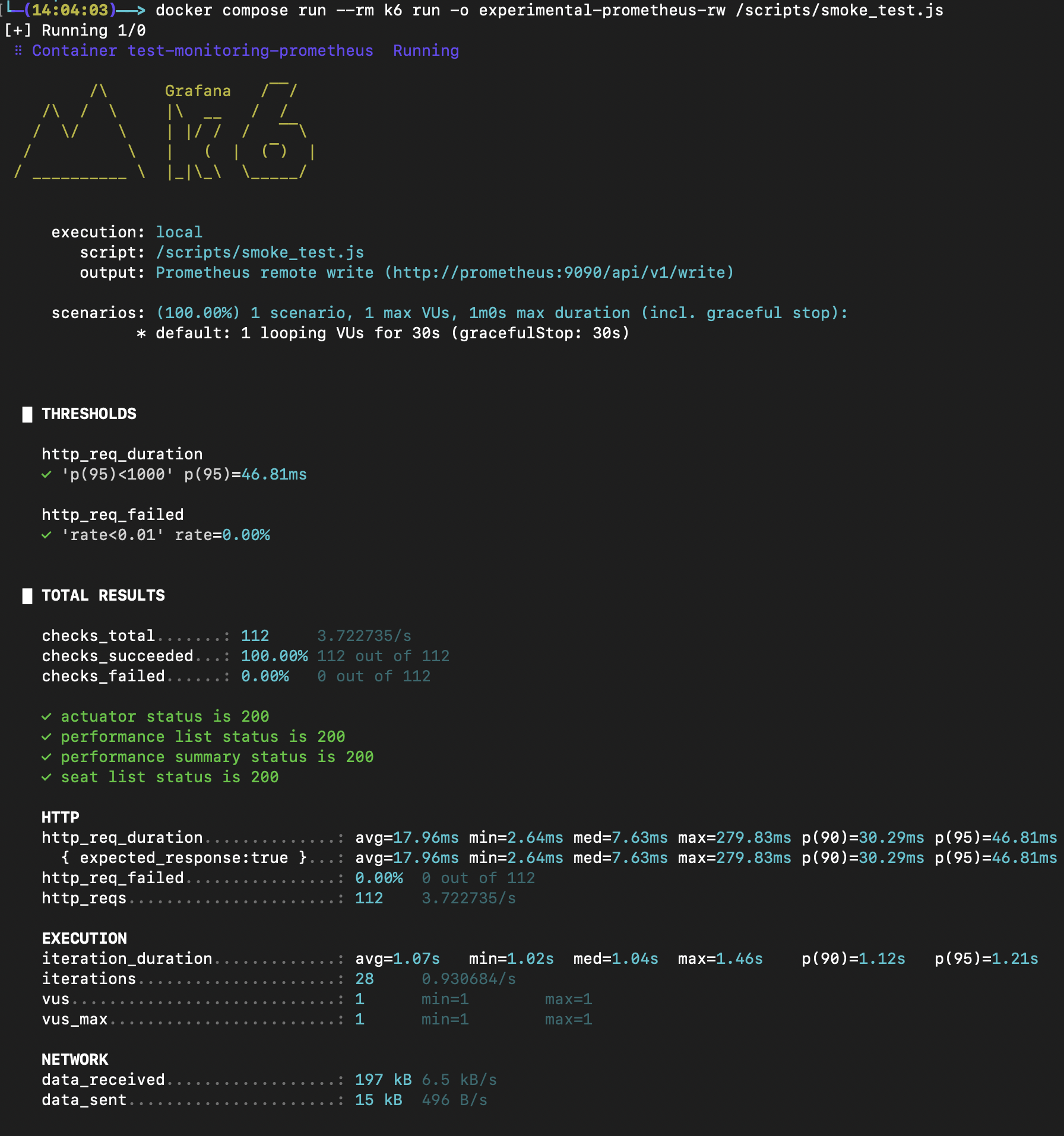
docker compose run --rm k6 run -o experimental-prometheus-rw /scripts/<테스트파일_이름>.js이 커맨드로 부하 테스트를 진행해주고, 다시 Grafana들어가서 대시보드를 새로고침해주면 결과 값들이 보일것이다.

▶ 참고 자료
https://grafana.com/docs/grafana/latest/setup-grafana/installation/docker/
Run Grafana Docker image | Grafana documentation
CautionStarting with Grafana release 12.4.0 , the grafana/grafana-oss Docker Hub repository will no longer be updated. Instead, we encourage you to use the grafana/grafana Docker Hub repository. These two repositories have the same Grafana OSS docker image
grafana.com
https://grafana.com/docs/k6/latest/results-output/real-time/prometheus-remote-write/
Prometheus remote write | Grafana k6 documentation
User-centered observability: load testing, real user monitoring, and synthetics Learn how to use load testing, synthetic monitoring, and real user monitoring (RUM) to understand end users' experience of your apps. Watch on demand.
grafana.com
https://one-armed-boy.tistory.com/entry/k6-Prometheus-Grafana-자동-환경-구성하기-with-Docker-compose
부하테스트를 위해 k6 + Prometheus + Grafana 자동 환경 구성하기 (with Docker-compose)
k6를 통하면 부하테스트를 js 기반 스크립트로 손쉽게 작성이 가능하다. 다만 k6는 단순 테스트 만을 수행해주기 때문에 추가적인 시각화 구성을 진행해야 할 필요가 있다. 이를 위해 구글링을 해
one-armed-boy.tistory.com